To enable a grading scheme for a course:
Step 1: Access a course.
Step 2: Access the course Settings.
Step 3: On the Course Details tab, check the Enable grading scheme checkbox.
Step 4: To create a new grading scheme or to use a JJC default grading scheme, click or tap View grading scheme.
Step 5: Canvas will display the default grading scheme. To choose a different grading scheme, click or tap Select Another Scheme.
Note: To create a new grading scheme, click or tap + New Grading Scheme 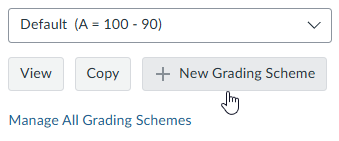
Step 6: To use a JJC default grading scheme, click or tap the desired grading scheme.
Final Step: Scroll to the bottom of the page and click or tap the Update Course Details button.

Comments
0 comments
Please sign in to leave a comment.